GitFlowStudio
Git workflow management made simple & beautiful
FreeCLI75 impressions#261 of its week
More CLI tools →74 free dev tools →
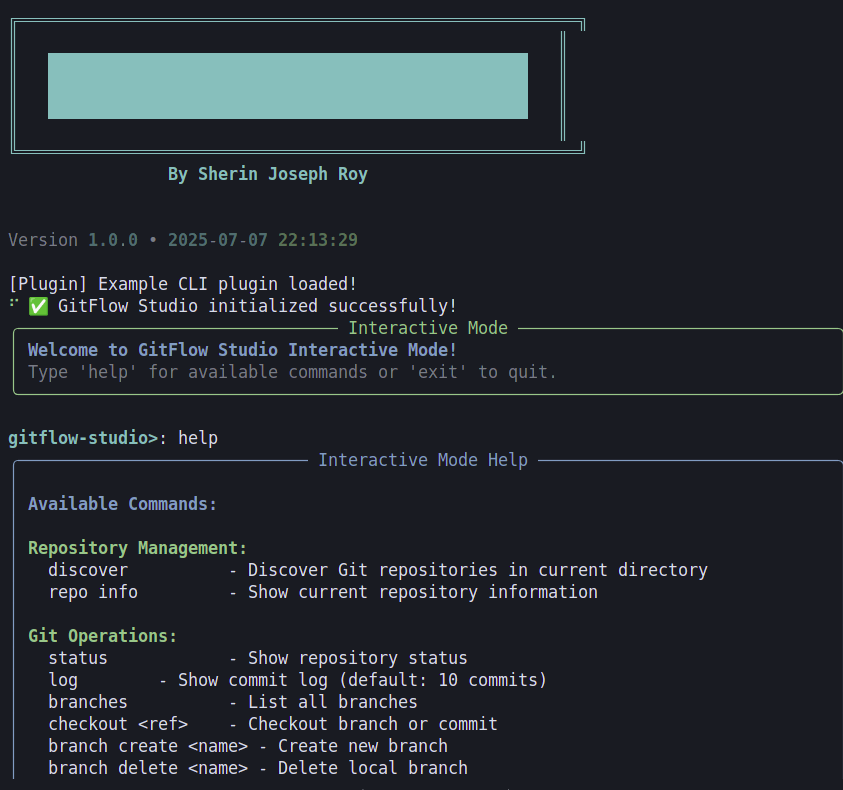
GitFlow Studio is an interactive CLI for managing Git workflows and GitHub projects with advanced operations and analytics.
- for
- Developers, DevOps engineers, and teams needing streamlined Git and GitHub workflow automation
- pricing
- open source
- license
- MIT
Key features
- Comprehensive Git Operations — Status, logging, branching, committing, pushing, pulling, cherry-pick, rebase, squash and more from the terminal.
- GitFlow Workflow Integration — Automated feature, release, and hotfix branch handling with protection and conflict detection.
- GitHub OAuth Integration — Secure login, token management and multi-organization repository discovery.
- Advanced Analytics & Reporting — Insights into repository health, contributor patterns and project metrics.
- Customizable Themes & Aliases — Personalize the CLI appearance and create shortcuts for frequent commands.
- Tag and Stash Management — Create, delete, list tags and advanced stash operations with messages.
- Repository Search & Favorites — Powerful filtered search across local and remote repos with favorite marking.
- Export Functionality — Export workflow data and analytics for external reporting or CI pipelines.
Use cases
- Initialize and manage a GitFlow branching model for a new microservice project
- Generate repository health reports for quarterly engineering reviews
- Automate hotfix creation and deployment directly from the CLI
- Search and clone multiple GitHub repositories across organizations in one command
GitFlowStudio FAQ
How do I authenticate with GitHub?+
GitFlow Studio uses OAuth 2.0; run the auth command to log in and it stores and refreshes tokens automatically.
Can I customize the CLI appearance?+
Yes, you can select themes and define custom aliases in the configuration file.
Does it support GitFlow branching conventions?+
It provides built-in commands for feature, release and hotfix branches with automated handling.
Is the tool available for installation via pip?+
The repository includes a pyproject.toml and setup.py, indicating pip installation is supported.
What platforms are supported?+
As a Python-based CLI, it runs on any platform with Python 3.12 or later.
Summarized by DevHunt from github.com · Oct 4, 2026. Details may change; check the official site.