Compare
NestUI vs toddle
Short answer: Pick NestUI if you want pay-as-you-go AI media generation; pick toddle if you want AI-augmented visual web builder. NestUI has a free plan; toddle is free.

Which to pick
Pick NestUI if you want…
- Pay-as-you-go AI media generation
- Integrations with Python SDK or cURL (on NestUI's list, not toddle's)
Pick toddle if you want…
- AI-augmented visual web builder
- Rapid web app development
- Integrations with GraphQL, CSS or Web Components (on toddle's list, not NestUI's)
Side by side
- What it is
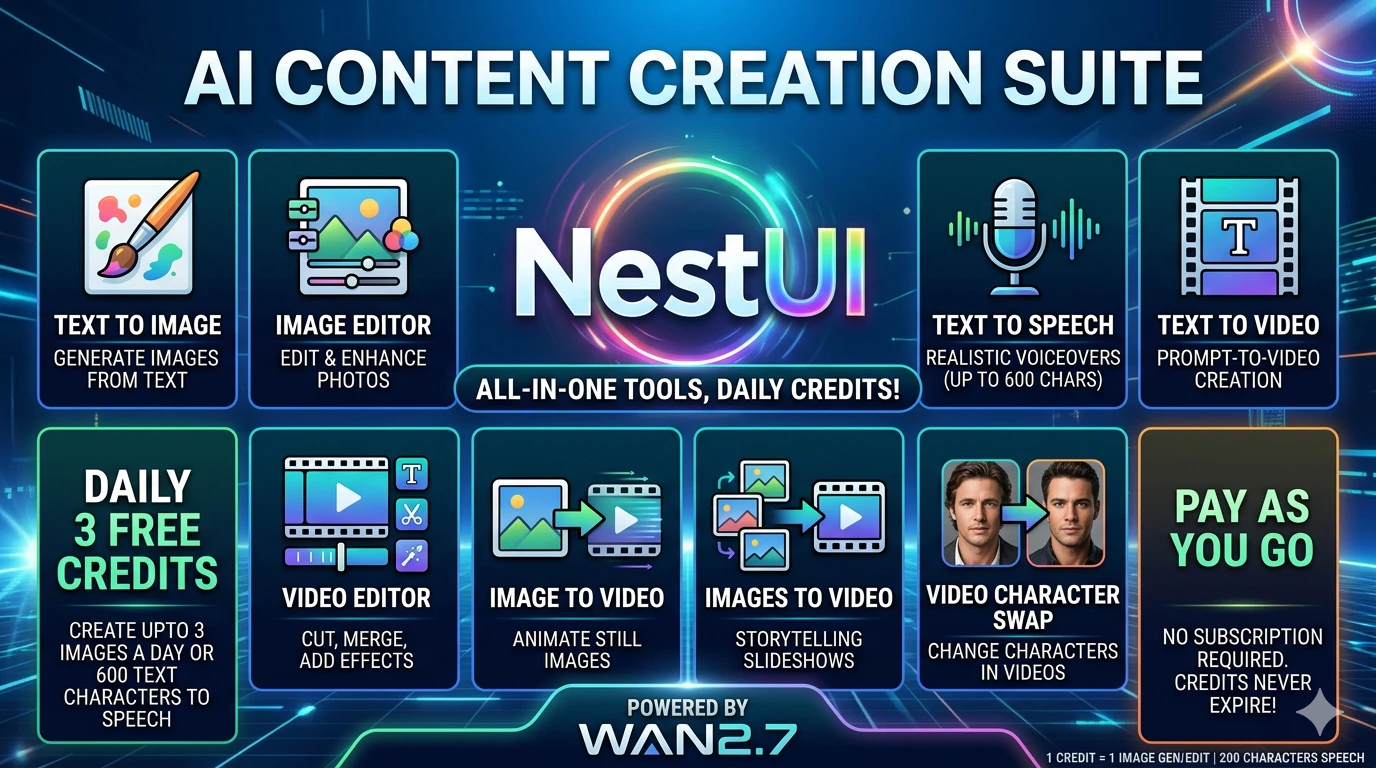
- NestUI:NestUI is an AI generative suite for video, image, audio creation and editing with pay-as-you-go credits.
- toddle:Nordcraft is a visual web development platform that combines AI assistance with a drag-and-drop editor to build performant web apps quickly.
- Best for
- NestUI:Pay-as-you-go AI media generation
- toddle:AI-augmented visual web builder
- Who it’s for
- NestUI:Creators, filmmakers, game developers, and developers needing AI media generation.
- toddle:Web developers and designers in creative studios building modern web experiences
- Pricing
- NestUI:Freemium
- toddle:Free
- Free plan or trial
- NestUI:Free trial
- toddle:—
- Works with
- NestUI:Python SDK, cURL
- toddle:GraphQL, CSS, Web Components
NestUI features
- Text to Image. Generate high-resolution images from text prompts for $0.08 per credit.
- Text to Video. Create cinematic video clips from descriptions, billed at 5-6 credits per second.
- Text to Speech. Produce realistic voice audio, 1 credit per 800 characters.
- AI Image Editor. Edit images with AI instructions, 1 credit per edit.
- AI Video Editor. Edit and export video clips, 5 credits per second of output.
- Image to Video. Animate a single static image into video, 6 credits per second.
- Images to Video. Morph between first and last frames with text prompts, 6 credits per second.
- Character Swap. Swap characters in images or videos, flat 7-credit fee for a 5-second clip.
toddle features
- Visual Editor. Drag-and-drop interface with instant visual feedback for building UI.
- AI Assistant. AI agent helps generate components, convert data and automate repetitive tasks.
- API Connections. Connect to any backend, CMS or GraphQL API and bind live data to designs.
- Animations Editor. Create custom keyframe animations using CSS, SVG and built-in timeline tools.
- Logic & Workflows. Define interactive application logic with visual workflows and state management.
NestUI vs toddle FAQ
What is the difference between NestUI and toddle?+
Toddle accelerates web app development, not AI content creation.
Should I use NestUI or toddle?+
Pick NestUI if you want pay-as-you-go AI media generation or integrations with Python SDK or cURL (on NestUI's list, not toddle's). Pick toddle if you want AI-augmented visual web builder, rapid web app development or integrations with GraphQL, CSS or Web Components (on toddle's list, not NestUI's).
Is NestUI or toddle free?+
NestUI has a free plan and paid plans. toddle is listed as free on DevHunt.
Do NestUI and toddle integrate with the same tools?+
Their integration lists don't overlap: NestUI lists Python SDK and cURL; toddle lists GraphQL, CSS and Web Components.
On DevHunt
Based on each tool's website and DevHunt data. Details may change; check the official sites.