Compare
Dify.AI vs NestUI
Dify.AI is an LLMOps platform for building AI apps, not a media generation suite.
Short answer: Pick Dify.AI if you want no-code visual AI app development; pick NestUI if you want pay-as-you-go AI media generation. Both have a free plan.
 Dify.AIOpen-source platform for LLMOps, define your AI-native apps
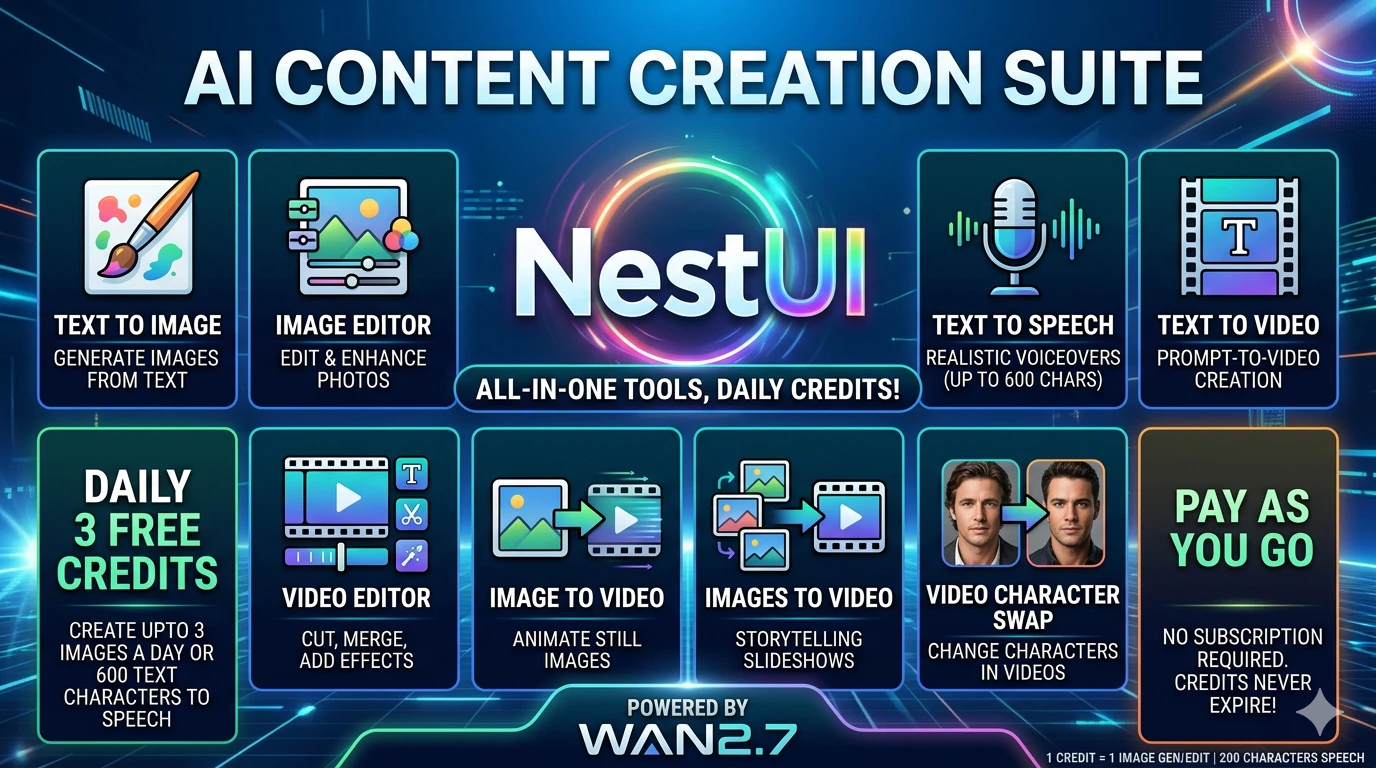 NestUIAll-in-One AI: Video, Image, Audio & Editor Suite
Which to pick
Pick Dify.AI if you want…
- No-code visual AI app development
- LLM-ops platform
- Open-source code (langgenius/dify on GitHub)
Pick NestUI if you want…
- Pay-as-you-go AI media generation
Side by side
- What it is
- Dify.AI:Dify.AI is an open-source LLMOps platform for building, deploying and managing AI-native apps with visual workflow, agent and knowledge-base tools.
- NestUI:NestUI is an AI generative suite for video, image, audio creation and editing with pay-as-you-go credits.
- Best for
- Dify.AI:No-code visual AI app development
- NestUI:Pay-as-you-go AI media generation
- Who it’s for
- Dify.AI:Developers and teams building AI applications, from hobbyists to enterprises
- NestUI:Creators, filmmakers, game developers, and developers needing AI media generation.
- Pricing
- Dify.AI:Freemium
- NestUI:Freemium
- Free plan or trial
- Dify.AI:Free plan (Sandbox)
- NestUI:Free trial
- Plans
- Dify.AI:Sandbox Free · Community Free
- NestUI:—
- Open source
- Dify.AI:Yes, 157,311 GitHub stars
- NestUI:—
- Works with
- Dify.AI:—
- NestUI:Python SDK, cURL
Dify.AI features
- Workflow Studio. Drag-and-drop visual builder for agentic workflows with visible execution paths.
- Agent Builder. Create AI agents with skills, tools and knowledge, usable as apps or workflow nodes.
- Knowledge Pipeline. Prepare searchable knowledge bases by extracting, cleaning, chunking and indexing data sources.
- Marketplace Plugins. Install model providers, tools and data source integrations from a shared marketplace.
- Publish & Monitor. Deploy apps as web experiences, APIs or embeds and track logs, feedback and usage.
NestUI features
- Text to Image. Generate high-resolution images from text prompts for $0.08 per credit.
- Text to Video. Create cinematic video clips from descriptions, billed at 5-6 credits per second.
- Text to Speech. Produce realistic voice audio, 1 credit per 800 characters.
- AI Image Editor. Edit images with AI instructions, 1 credit per edit.
- AI Video Editor. Edit and export video clips, 5 credits per second of output.
- Image to Video. Animate a single static image into video, 6 credits per second.
- Images to Video. Morph between first and last frames with text prompts, 6 credits per second.
- Character Swap. Swap characters in images or videos, flat 7-credit fee for a 5-second clip.
Dify.AI vs NestUI FAQ
What is the difference between Dify.AI and NestUI?+
Dify.AI is an LLMOps platform for building AI apps, not a media generation suite.
Should I use Dify.AI or NestUI?+
Pick Dify.AI if you want no-code visual AI app development, LLM-ops platform or open-source code (langgenius/dify on GitHub). Pick NestUI if you want pay-as-you-go AI media generation.
Is Dify.AI or NestUI free?+
Dify.AI has a free plan (Sandbox) and paid plans. NestUI has a free plan and paid plans.
Is Dify.AI or NestUI open source?+
Dify.AI is open source (langgenius/dify on GitHub). DevHunt has no public source repository on record for NestUI.
On DevHunt
Based on each tool's website and DevHunt data. Details may change; check the official sites.